

Vintage Special Deals - Till 25th October!!!
Limited-time event running until October 25th! We are holding a special-price flash sale on select vintage items. These vintage guitars have stood the test of time and still shine brilliantly...
Duties & taxes included · No fees on delivery · Inspected & packed by instrument specialists in Tokyo. About Ikebe Music


| Brand New | Unused, as sold. |
|---|---|
| Mint | Like new, no flaws. |
| Excellent | Barely used, very minor wear. |
| Very Good | Light wear, fully functional. |
| Good | Visible wear, plays fine. |
| Fair | Heavy wear, still playable. |
Couldn't load pickup availability
IMAGE LINE SOFTWARE FL STUDIO 21 Producer (Image Line) (DAW softwar...
Payment methods
Your payment information is processed securely. We do not store credit card details nor have access to your credit card information.
Available payment methods vary by country and are shown at checkout.
The following information applies to international orders.
Items with “USED” in the product name are pre-owned and will be delivered as shown in the photos. Signs of wear may be present. All items are function-tested by our staff and rechecked before dispatch.
Many products are stocked across Ikebe stores in Japan. As a result, shipment may take several days. In-store sales may also cause items to sell out. If an item is unavailable, we will contact you promptly; in that case, the order will be canceled and any payment will be refunded.
Preparation: 2-3 business days (store transfer & inspection)
DHL Express transit: 2–5 business days after dispatch.
Shipping is calculated at checkout and will not change after payment.
There are no additional charges beyond the total payment amount displayed at checkout.
We cannot declare a reduced item value or mark purchases as gifts.
Our product warranty is valid only within Japan.
All electrical products are intended for the Japanese market and are designed for 100 V operation.
Based on the regulations of the shipping company, aviation laws, and the laws and import regulations of the destination country, we cannot ship dangerous goods or restricted items internationally.
Examples of such items include, but are not limited to, high-pressure gases (aerosol cans), flammable liquids (oils, paints, etc.), combustible materials, batteries, and other items classified as dangerous goods.
If your ordered items fall under these restrictions, we reserve the right to cancel your order or ship only certain items, at our discretion.
Furthermore, accessories and included items are also subject to these restrictions, so any items deemed ineligible for shipment will be removed before shipping. Please understand this in advance.
The final decision on whether or not to ship will be made by us based on the shipping company and relevant laws and regulations, and we cannot guarantee individual decisions in advance.
Founded in 1975, Ikebe Music is one of Japan's largest general music stores.Thanks to its long history and proven track record, it has earned the trust of musicians and music fans not only in Japan but around the world.
Ikebe Music ships not only within Japan, but also overseas.As a well-known retailer of used musical instruments in Japan, we have a wide selection of used and vintage instruments.
We have a wide variety of unusual and rare instruments, so please take a look.Please note that new items that cannot be exported due to supplier agreements are not listed.
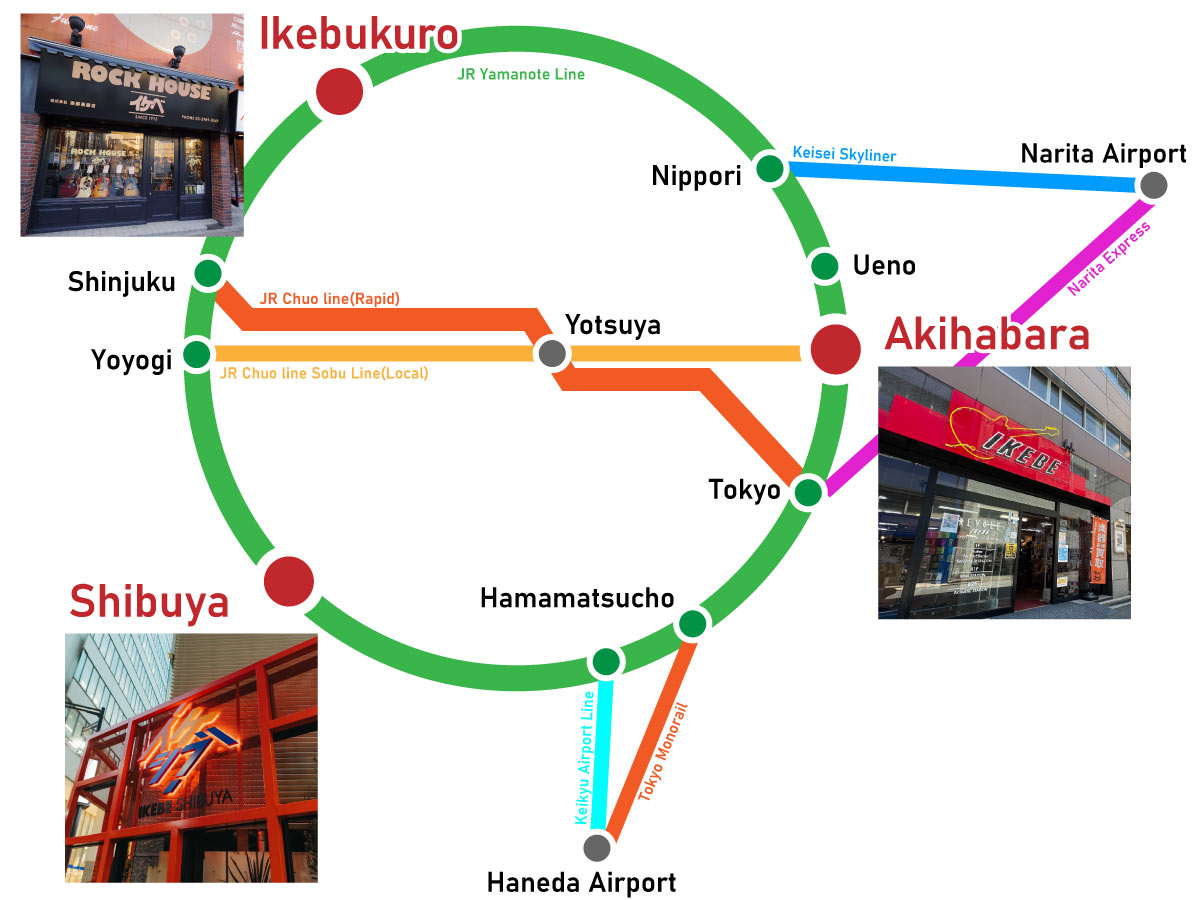
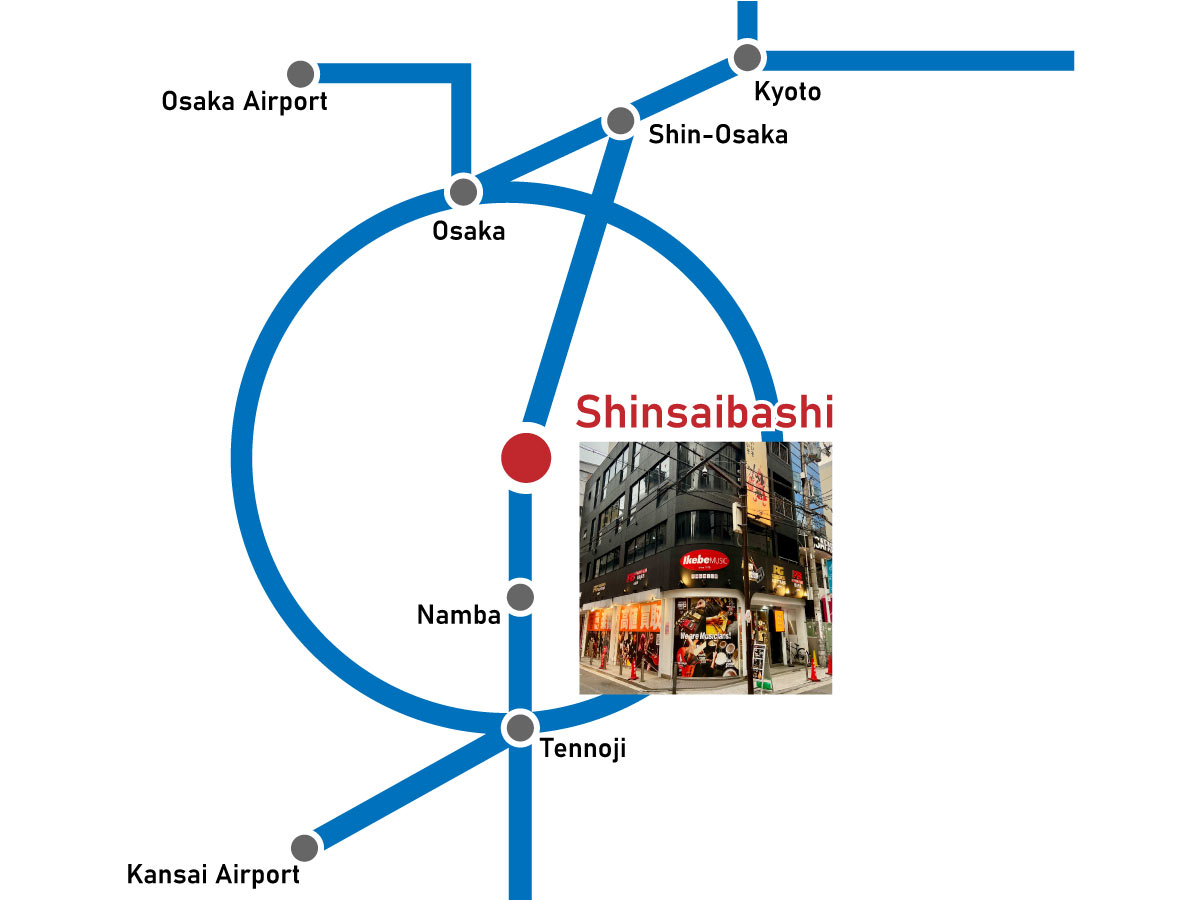
In Japan, we operate 31 stores in Tokyo (Ikebukuro, Shibuya, Akihabara) and Osaka.
We have just opened our flagship store, IKESHIBU (IKEBE SHIBUYA), in Shibuya, Tokyo, which brings together numerous musical instrument specialty stores and serves as a hub for entertainment culture.
Please be sure to stop by if you are visiting Japan.


We carefully pack every item with protective materials to ensure it arrives safely.
The photos above show an example of how we securely pack a bass guitar for shipping.
All used products sold by Ikebe Musical Instruments Store are inspected, working, and maintained, ensuring their safety and security. We inspect each item individually for defects before shipping.
If there are any missing images, please contact us with your inquiry and let us know the angle and focus you need to better understand the condition of your item before ordering. We will respond after taking photos.
Because these are used items, we strive to provide detailed information about their condition so you can order with confidence.
Limited-time event running until October 25th! We are holding a special-price flash sale on select vintage items. These vintage guitars have stood the test of time and still shine brilliantly...
![[Archive] IKEBE LIVE SHOPPING #242 | A revolution in jazz standard mouthpieces! A comparison of the Meyer/Otto Link Hybrid Series! Guest: Junsuke Motomatsu [presented by Wind Bros]](http://global.ikebe-gakki.com/cdn/shop/articles/20260924_2_1080_1080.jpg?v=1791353945&width=460)
Meyer and Otto Link, established as the standard for jazz mouthpieces, are moving to a new stage! As you may recall, JJ Babbitt made headlines at this year's NAMM...

We have revised our shipping rates today. We reviewed our shipping calculation method, and rates are now slightly lower than they were immediately following the recent system update—which had enabled...
![[Archive] IKEBE LIVE SHOPPING #240 | A thorough analysis of hand-selected items at the Fender Custom Shop factory tour, a place every guitarist dreams of visiting [presented by Grandy & Jungle / Guitars Station]](http://global.ikebe-gakki.com/cdn/shop/articles/20260910_2_1080_1080-1024x1024_5680be61-c7d4-4319-8582-0a6676db5c9a.jpg?v=1789616134&width=460)
The Fender Custom Shop, a place every guitarist dreams of visiting.We'll thoroughly explore the appeal of the hand-picked instruments available there, along with the palpable energy of the shop! Kameda...

No additional shipping fees will be charged! With our updated payment system, you can now pay for customs duties and taxes at checkout, in addition to the product price and...

On August 26, 2026, we began sales of electric guitars from "Ibanez"—a Japanese brand favored by top artists around the world. Ibanez is renowned for lines such as the RG...
![[Archive] IKEBE LIVE SHOPPING #235 | A thorough investigation into "What's it like to have an alto saxophone for under 300,000 yen?" Guest: Junsuke Motomatsu [presented by Wind Bros]](http://global.ikebe-gakki.com/cdn/shop/articles/20260814_1_1080_1080_e80be243-f913-4a30-97e5-247e4028683e.jpg?v=1787037102&width=460)
A saxophone that costs less than 300,000 yen – how good is it really?We put it to the test and see the best balance between price and performance! Saxophones come...
![[Archive] IKEBE LIVE SHOPPING #233 | Stunning wood grain hand-picked in Germany! IKEBE 50th Anniversary Warwick Demonstration & Thorough Explanation](http://global.ikebe-gakki.com/cdn/shop/articles/20260807_3_1080_1080.jpg?v=1786526094&width=460)
A special Warwick guitar made possible only to celebrate Ikebe's 50th anniversary.Each and every one embodies the unique character of the carefully selected wood. In this broadcast, we will introduce...

Join our mailing list to receive exclusive news, product drops, and offers.
By subscribing you agree to receive marketing emails. Unsubscribe anytime.